Getting Started
To get started, simply choose which pipelines your AI agent should work in and configure a Salesbot to send messages.
Choose Pipelines
To start using your AI agent, tell it which pipelines to work in:
- Go to AI Agent settings
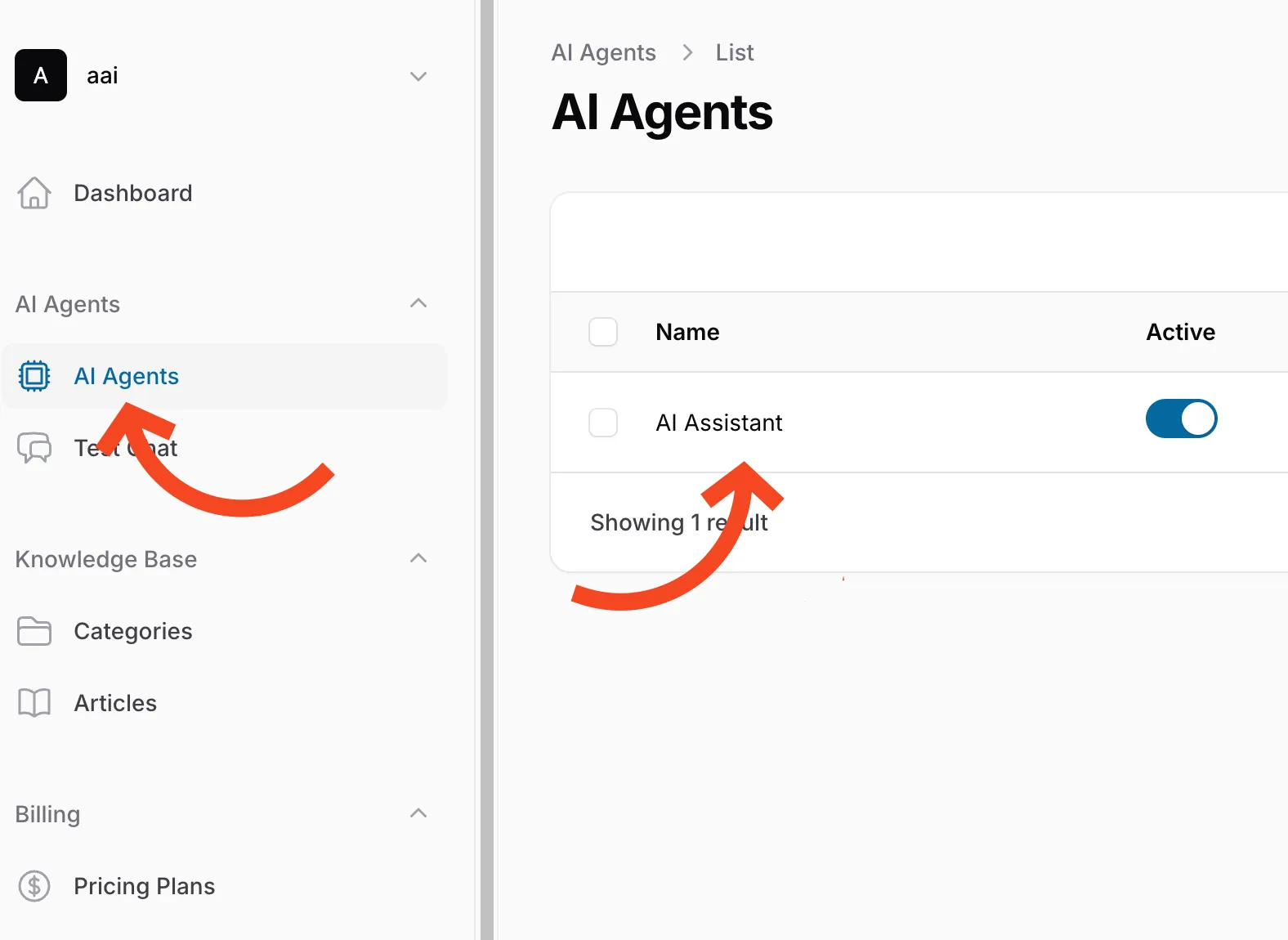
- Scroll down to the Pipeline Settings section
- Choose which pipelines and lead stages your agent should handle
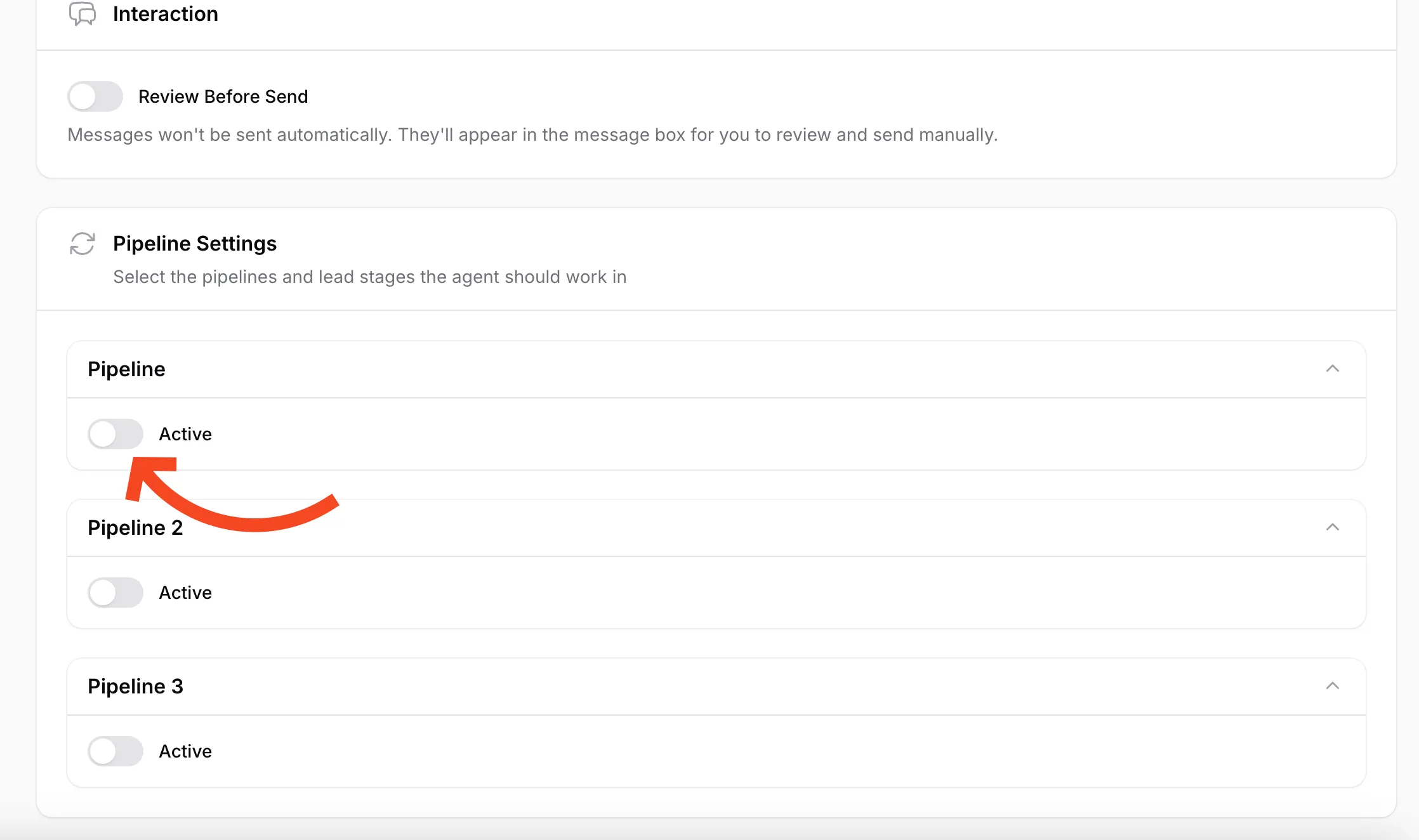
- Click Save to apply your settings
Your AI agent will only respond to messages in the activated pipelines.
Connect Salesbot
To allow your AI agent to send messages in Kommo, you need to connect a Salesbot.
Step 1: Download the Template
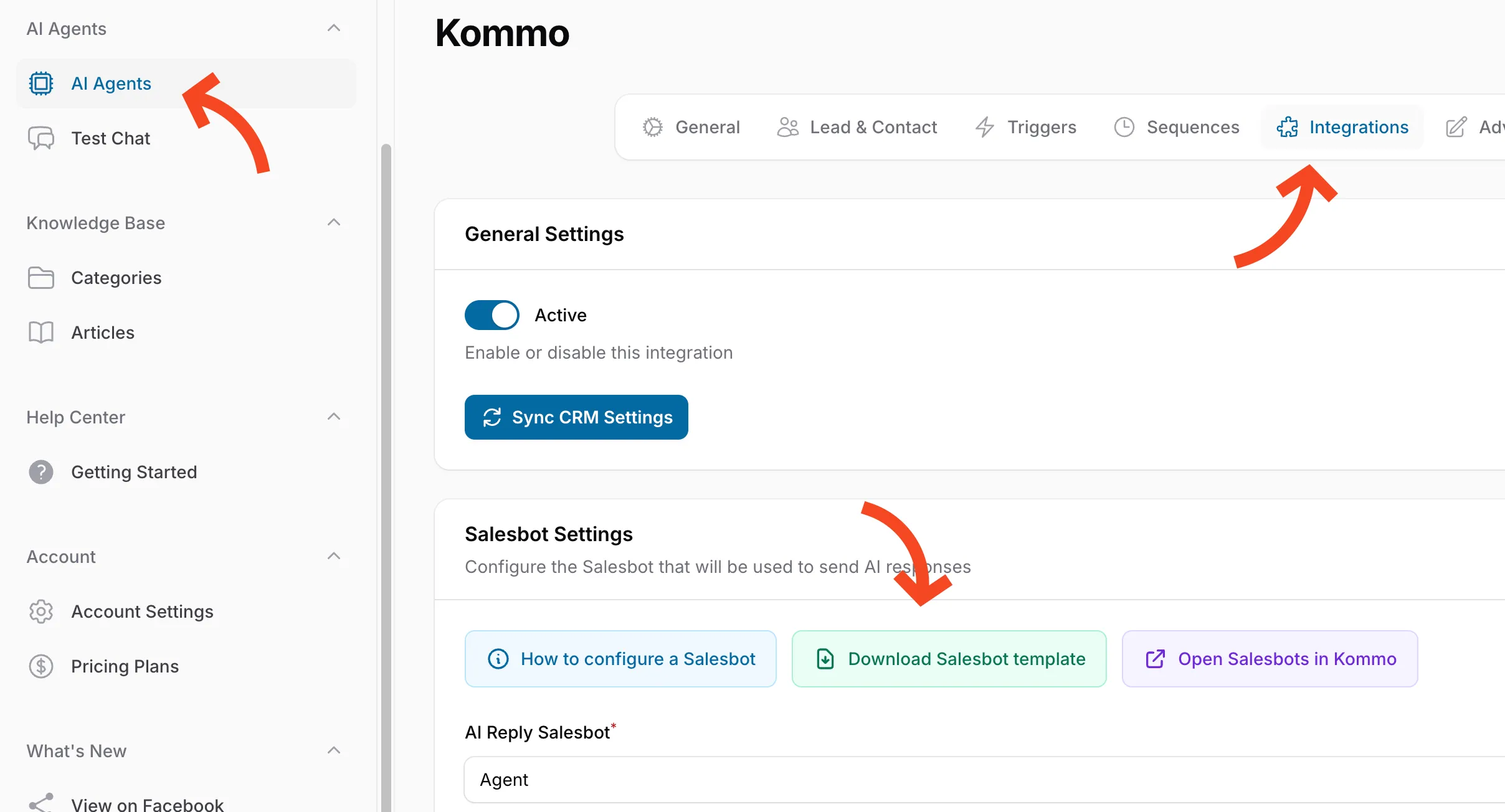
- Go to your AI Agent settings
- Click Integrations in the top navigation
- Select Kommo from the list
- Scroll down to Salesbot Settings
- Click Download Salesbot template
Step 2: Import into Kommo
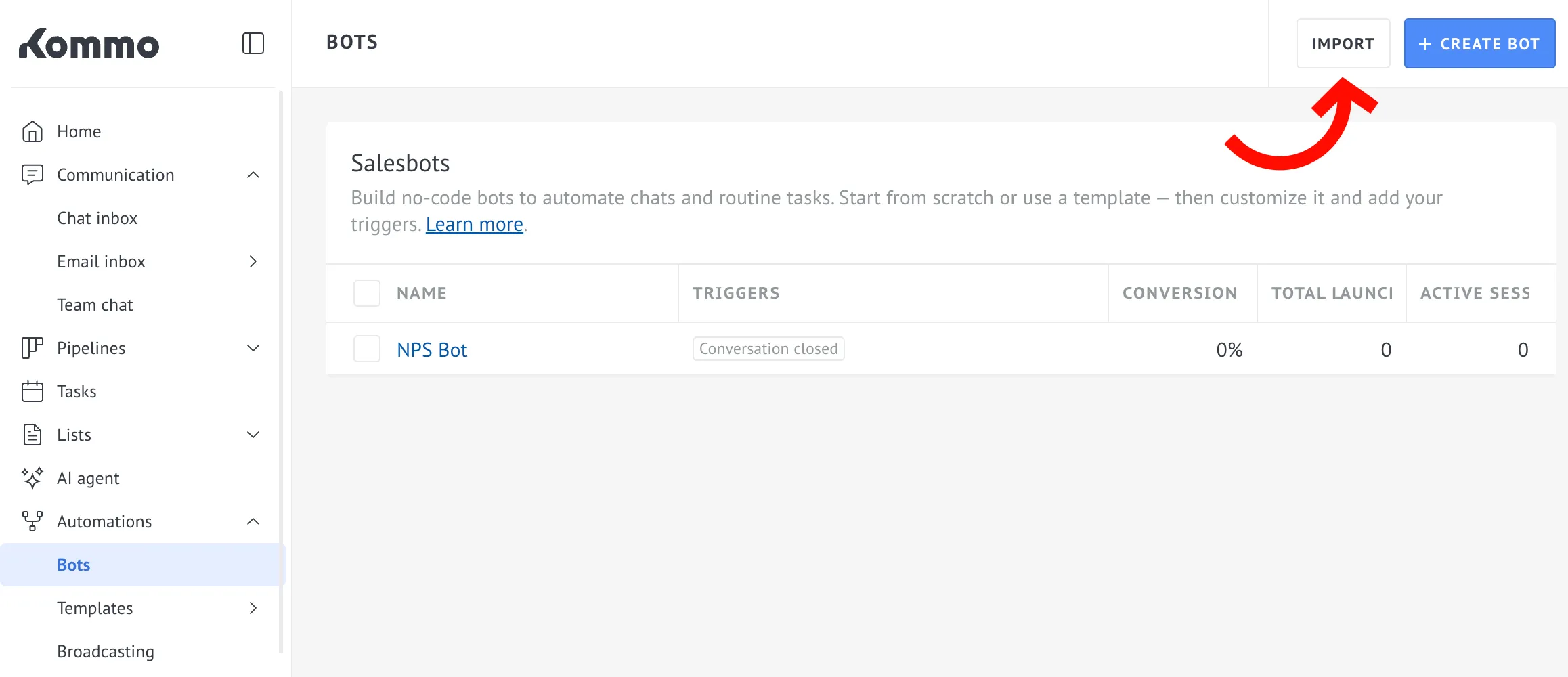
- Open your Salesbots list in Kommo (you can use the Open Salesbots in Kommo button).
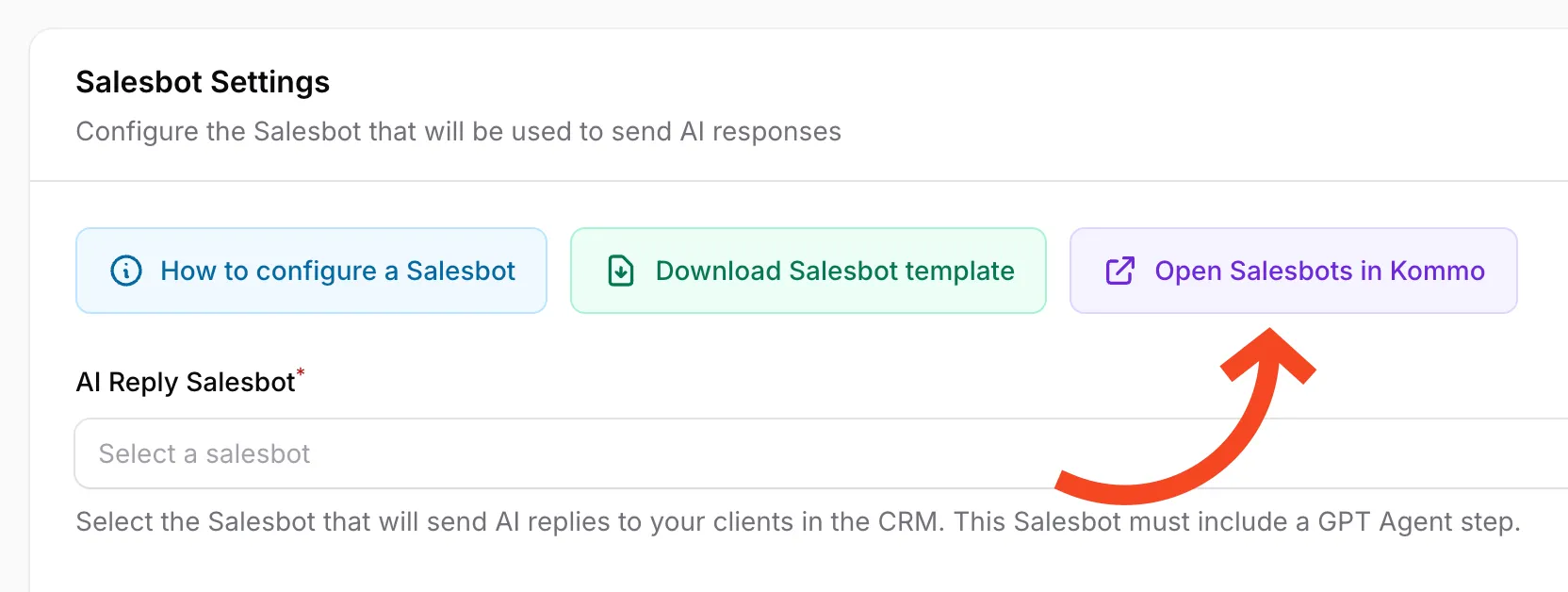
- Click Import to add a new bot
- Upload the template file you just downloaded
- Click Save
Step 3: Configure the Salesbot Trigger
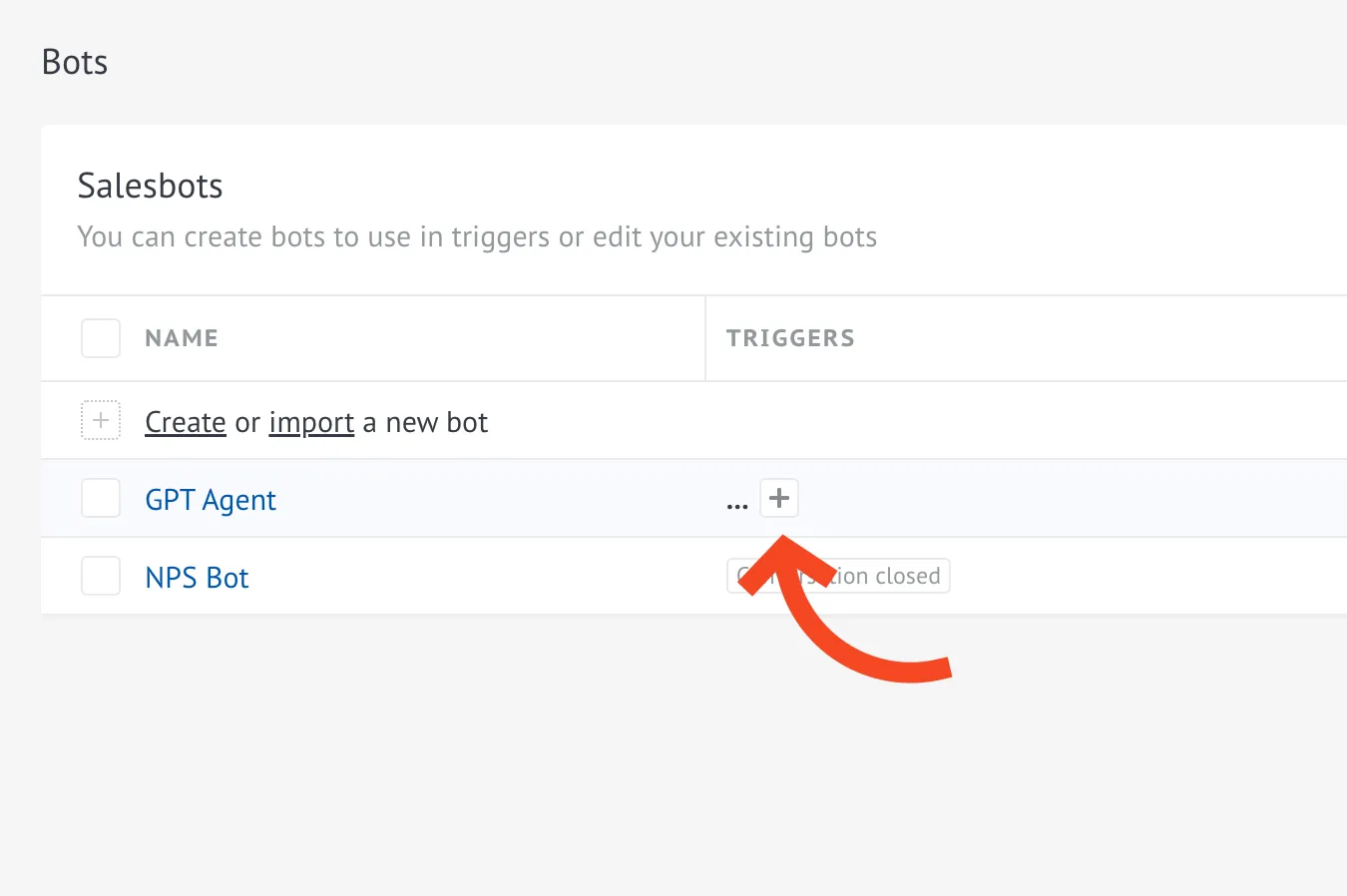
- Find your new bot in the Salesbots list
- In the Triggers column, click the + button
- Select On an incoming message in any channel (5 min. launch cooldown)
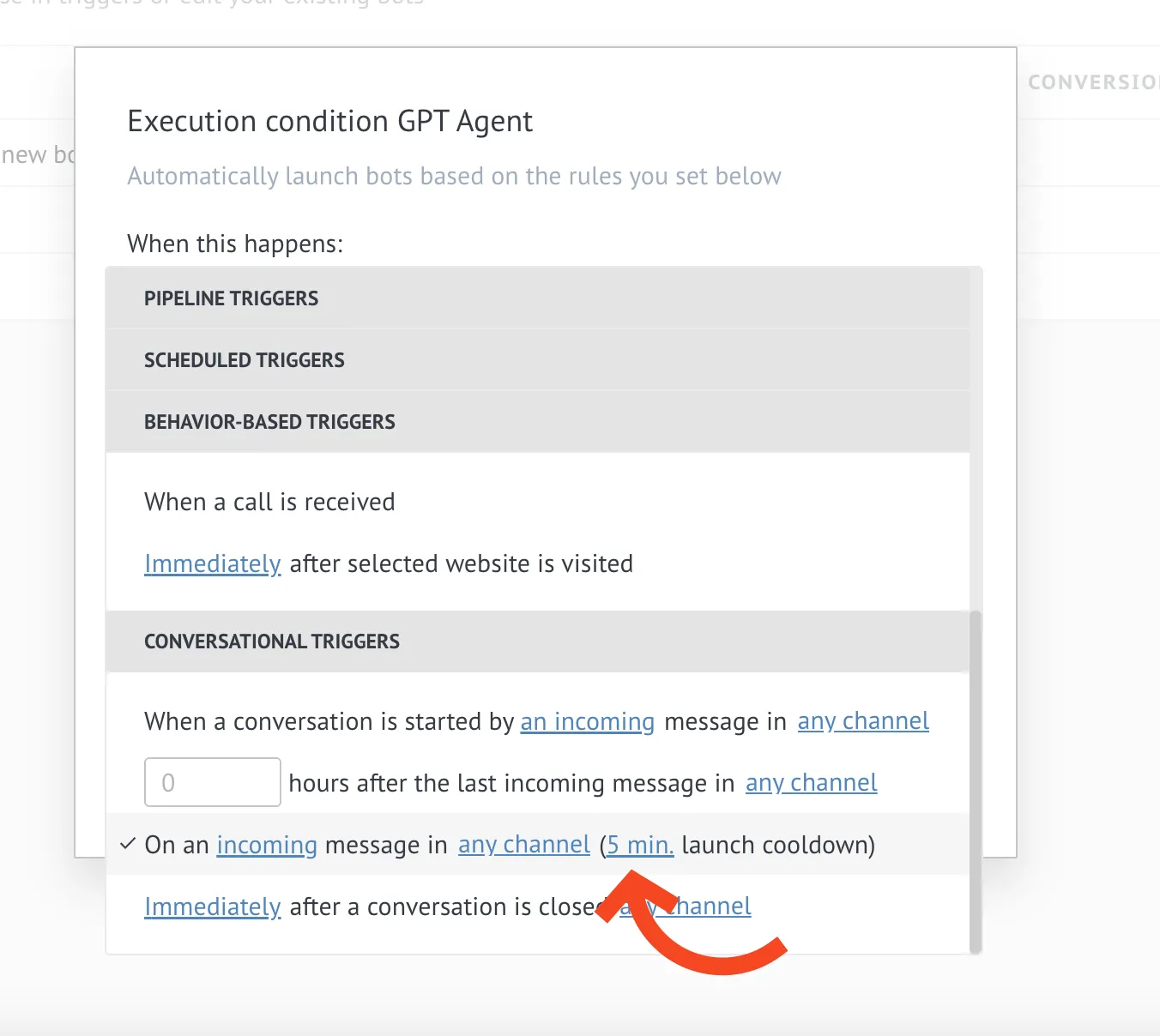
- Save the trigger
Step 4: Confirm Everything Works
- Go back to your AI Agent integration settings
- Refresh the page
- In Salesbot Settings, check that your new bot appears in the AI Reply Salesbot dropdown
- Make sure the Salesbot Status shows Active

- If it’s not active yet, select your bot from the dropdown and click Save
Next Steps
-
Setup AI Agent Settings. Customize your AI agent’s tone, style, and behavior to match your business needs.
-
Add Information to Knowledge Base. Add your business information to make your AI agent smarter and more helpful.
-
Explore Response Settings. Learn how to control when and how your AI agent sends messages.
-
Configure Kommo Integration. Adjust how your AI agent interacts with Kommo.
What’s Next?
This is just the beginning! We’ve launched our first version and are already working on new features and additional instructions that will be available soon.
We’d love to hear your feedback.